Wednesday, March 6, 2013

Bioware Business Card

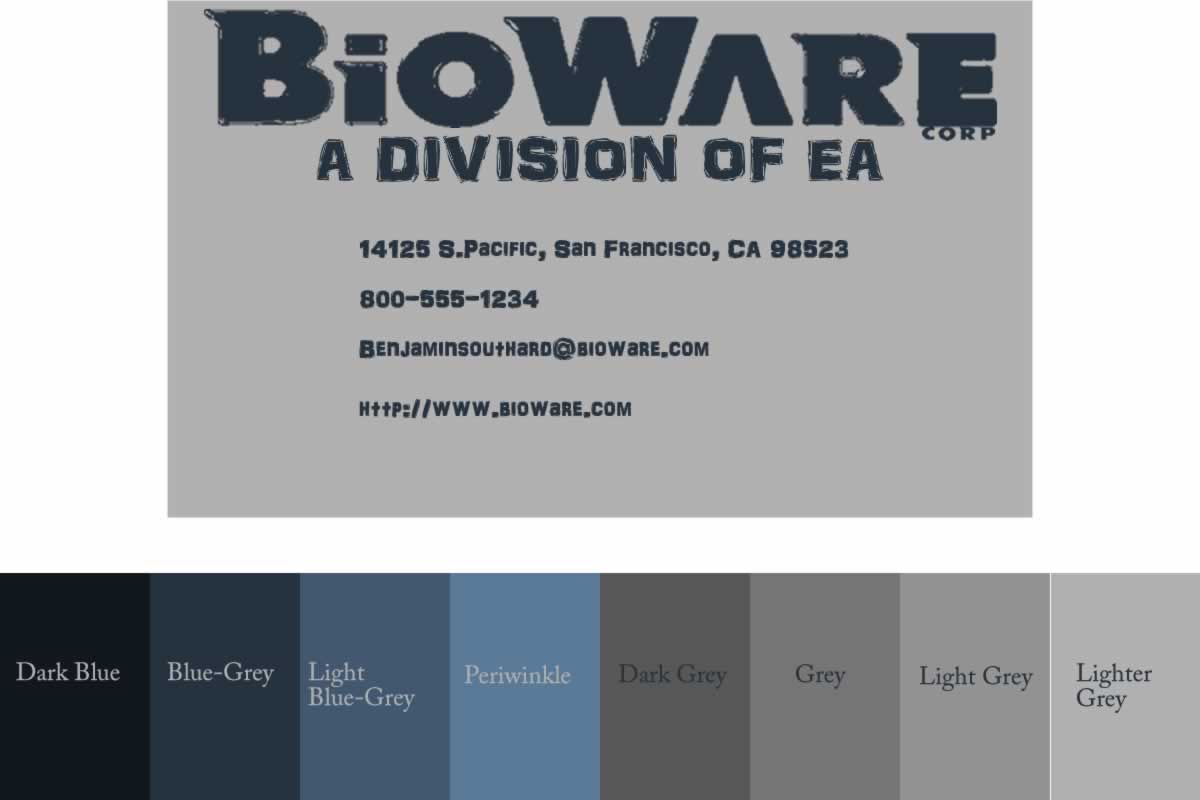
For the cardstock, I would reccommend one with a light grey/off-white hue, although most greys will get the job done. For the  text, I would reccommend using a single color of ink. This ink should be a dark blue, but if none is available, use a blue with a tint of grey.

Face- "Gordan Shepard"

This is my man, Gordon Shepard.

I made the hair by first making an ellipse around the top of his head. I then edited it's shape with the freeform tool. I gave it a brown fill with a sand pattern of 15%.The eyebrows were made with the pencil tool. The ears were ellipses that I reshaped and then I put a series of line on top. The nose is a polygon lasso bitmap with a gradient effect. The lips were an edited ellipse with a curved line on top. The head is a reshaped ellipse.

Tuesday, March 5, 2013

Logo Redesign

On the left were 4 logos made by Bioware that I used for inspiration for my redesign. The background was a grey rectangle. The words I traced using the magic wand tool on the other logos. The  "a division of EA" was made using a text box with an AR DARLING font waith a size of 65

Monday, March 4, 2013

Eagle Pointillism

This is my eagle pointillism. I started out with a color picture of an eagle and converted it to greyscale. I then selected greyscale colors and used them with a paint brush ranging in tip sizes from 1-10. I then selected the background with the polygon lasso tool and deleted the background.

Friday, March 1, 2013

Swan Business Cards

This is my basic swan card. I first started out making a 300x200 canvas and gave it a green hue. Then, I 
typed the information into a text box in Franklin Gothic Demi text size 30 and 10. Lastly, I imported  the swan and gave it a fill of red with an outer bevel.
 This is my mid-level swan card. The canvas had the same size with a red hue. The text was the same font with a size of 20. The swan had a fill of black with a fiber pattern of 50%.
 This is my professional swan card. The canvas was the same size with a brown hue. The text was Basker Old Face font with a white hue and a size of 20. The swan has a black fill.

Thursday, February 28, 2013

Colorwheel Pointilism

In all of these colorwheels, I selected the color from the existing colorwheels and drew with it. To make these I used the paint brush tool and selected the tip size based on the number in the corner. The yellow section was the top layer, with the layers going down until the light green, which was the last layer.

Wednesday, February 27, 2013

Film Strip

To begin I did a google search to find this picture. Next, I created 4 rectangles approximatly 1/4 the size of the full picture. Then, I divided the original picture into that same size with the marquee tool. I then copied and pasted inside the corresponding rectangle. After that I rotated most of the rectangles with the scale tool and fit them together to look like the original image. Lastly, I gave each rectangle a stroke with a pattern.